

Claude Code, Skill
Scoop Skills
A collection of specialized skills for AI agents to manage Windows packages using Scoop command-line installer.
Compatibility: Not stated.
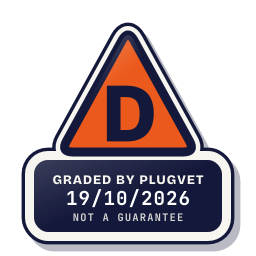
Grade D
Two or more Medium findings, or a High finding. Only try it in a sandbox.
Not a guarantee. A hygiene check of the source at the commit shown, not a security audit.
Rescanned at commit df7afb364015, unchanged since the check below.
PERMISSION_SHELL_UNDECLARED SECRETS_PATH_CREDENTIAL
Why this grade
- PERMISSION_SHELL_UNDECLARED Medium
Runs shell commands that the manifest or description does not mention.
skills/scoop-skills/references/scoop-wiki/Docker.md, line 28
docker-machine env | Invoke-Expression - SECRETS_PATH_CREDENTIAL Medium
Mentions a credential store path (~/.ssh, id_rsa, .npmrc, .aws/credentials, credentials.json, .netrc).
skills/scoop-skills/references/scoop-wiki/Github-with-SSH-key.md, line 22
Enter file in which to save the key (/c/Users/<b>you</b>//.ssh/id_rsa): <b>[press enter]</b>
Any High, or two or more Medium findings, give D. One Medium gives C. Low findings or a security Note give B. Each code names a finding behind the letter.
Grades are a hygiene check of the source at the commit shown, on the date checked, not a security audit or a guarantee. The free directory grades are automated. Before release, a PlugVet engineer reviews every paid report and any grade we hold back, including all F grades, against the source code and the evidence we quote.
What was checked
Plain notes from the hygiene checks.
Permissions
Concern
requests shell access. No manifest field names shell or command execution.
PERMISSION_SHELL_UNDECLARED
skills/scoop-skills/references/scoop-wiki/Docker.md, line 28
docker-machine env | Invoke-Expression
Install and update
Pass
No install-time script found, and dependencies are pinned or absent.
Network
Concern
can reach a host that is not written as a fixed address.
NETWORK_NO_FIXED_HOST
skills/scoop-skills/references/scoop-wiki/Example-Setup-Scripts.md, line 12
scoop install 7zip curl sudo git openssh coreutils grep sed less
Secrets
Concern
reads a credential or environment file.
SECRETS_PATH_CREDENTIAL
skills/scoop-skills/references/scoop-wiki/Github-with-SSH-key.md, line 22
Enter file in which to save the key (/c/Users/<b>you</b>//.ssh/id_rsa): <b>[press enter]</b>
skills/scoop-skills/references/scoop-wiki/SSH-on-Windows.md, line 30
If you already have a private key (e.g. ~/.ssh/id_rsa) you can skip this step. If not, create a new private key like this (type text is in **bold**):
skills/scoop-skills/references/scoop-wiki/SSH-on-Windows.md, line 34
Enter file in which to save the key (/c/Users/username//.ssh/id_rsa): <b>[enter]</b>
Show more
skills/scoop-skills/references/scoop-wiki/SSH-on-Windows.md, line 37
Your identification has been saved in /c/Users/username//.ssh/id_rsa.
skills/scoop-skills/references/scoop-wiki/SSH-on-Windows.md, line 38
Your public key has been saved in /c/Users/username//.ssh/id_rsa.pub.
skills/scoop-skills/references/scoop-wiki/SSH-on-Windows.md, line 55
If you used the default file as above, your private key will be created at `~/.ssh/id_rsa` and your public key will be at `~/.ssh/id_rsa.pub`.
skills/scoop-skills/references/scoop-wiki/SSH-on-Windows.md, line 61
cat ~/.ssh/id_rsa.pub | ssh [email protected] 'mkdir -p ~/.ssh; cat >> ~/.ssh/authorized_keys'
skills/scoop-skills/references/scoop-wiki/SSH-on-Windows.md, line 93
You will see all hosts in your `~/.ssh/config`.
Agent instructions
Pass
No instruction to ignore earlier instructions or to hide a step.
Obfuscation
Pass
No encoded or minified payload found.
Licence
Pass
A licence file is present (LICENSE).
Maintainer activity
Pass
The latest commit is within the last 365 days.
Note
Hygiene check of commit df7afb364015. requests shell access. No manifest field names shell or command execution. can reach a host that is not written as a fixed address. reads a credential or environment file.
Date and source
Date checked:
github.com
Commit graded: df7afb3640151e4fbc5451e5c1bad44f42854baa
This link goes to the original host. PlugVet does not host or check what you download from there, and installing it is your own decision and risk.