

Claude Code, Skill
Softsync Skills Hub
Work with your SoftSync CRM from any AI assistant: find and update companies, contacts and deals, read emails and meeting summaries, check your calendar and book meetings, write notes, set reminders, manage forms and email templates, and run your automations.
Compatibility: Not stated.
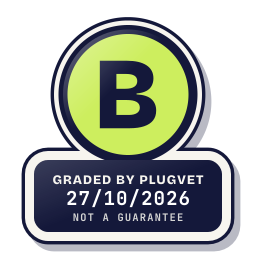
Grade B
Minor issues only, no Medium or High. Worth a quick look at the findings below before installing.
Not a guarantee. A hygiene check of the source at the commit shown, not a security audit.
NETWORK_NO_FIXED_HOST SECRETS_PATH_DOTENV SECRETS_ENV_READ
Why this grade
- NETWORK_NO_FIXED_HOST Low
Makes a network call whose host is not written as a fixed address.
examples/_shared/softsync.js, line 14
const response = await fetch(`${api}${path}`, { - SECRETS_PATH_DOTENV Low
Mentions a .env file.
examples/README.md, line 25
Each folder has a `.env.example`. Copy it to `.env` and fill in: - SECRETS_ENV_READ Note
Reads an environment variable whose name contains KEY, SECRET, TOKEN, PASSWORD or CREDENTIAL.
examples/content-site/server.mjs, line 21
apiKey = process.env.SOFTSYNC_API_KEY,
Any High, or two or more Medium findings, give D. One Medium gives C. Low findings or a security Note give B. Each code names a finding behind the letter.
Grades are a hygiene check of the source at the commit shown, on the date checked, not a security audit or a guarantee. The free directory grades are automated. Before release, a PlugVet engineer reviews every paid report and any grade we hold back, including all F grades, against the source code and the evidence we quote.
What was checked
Plain notes from the hygiene checks.
Permissions
Pass
No shell or command execution found, and no extra permission was declared.
Install and update
Pass
No install-time script found, and dependencies are pinned or absent.
Network
Concern
can reach a host that is not written as a fixed address.
NETWORK_NO_FIXED_HOST
examples/_shared/softsync.js, line 14
const response = await fetch(`${api}${path}`, {
examples/astro/src/lib/softsync.js, line 14
const response = await fetch(`${api}${path}`, {
examples/content-site/softsync.mjs, line 9
const response = await fetch(`${api}${path}`, {
Show more
examples/html/build.mjs, line 110
const view = await (await fetch(`${links.api}/public/forms/${links.form}`)).json();
examples/html/build.mjs, line 134
const response = await fetch(form.action, { method: 'POST', headers: { Accept: 'application/json' }, body: new URLSearchParams(new FormData(form)) });
examples/html/build.mjs, line 150
fetch('/search.json').then((r) => r.json()).then((posts) => {
examples/html/lib/softsync.js, line 14
const response = await fetch(`${api}${path}`, {
examples/nextjs/components/ContactForm.tsx, line 31
fetch(`${api}/public/forms/${form}`)
examples/content-site/README.md, line 56
await fetch('https://api.softsync.ai/records/search', {
examples/website-embeds/form.html, line 83
const response = await fetch('https://api.softsync.ai/public/forms/WORKSPACE_ID/LINK_ID', {
Secrets
Concern
reads a credential or environment file.
SECRETS_ENV_READ SECRETS_PATH_DOTENV
examples/content-site/server.mjs, line 21
apiKey = process.env.SOFTSYNC_API_KEY,
examples/nextjs/lib/site.ts, line 30
apiKey: process.env.SOFTSYNC_API_KEY,
examples/README.md, line 25
Each folder has a `.env.example`. Copy it to `.env` and fill in:
Show more
examples/astro/.gitignore, line 3
.astro
examples/astro/README.md, line 6
cp .env.example .env # add your workspace API key and your page links
examples/astro/README.md, line 15
Write in the app, watch your site. Set `SOFTSYNC_PREVIEW=1` in `.env` while you build and:
examples/astro/README.md, line 42
You get a working blog, FAQ and contact page with sample posts, authors and pictures. Nothing is saved, and nothing leaves your computer. When you are ready, copy `.env.example` to
examples/html/.gitignore, line 2
dist
examples/html/README.md, line 6
cp .env.example .env # fill in the key and your links
examples/html/README.md, line 21
Write in the app, watch your site. Set `SOFTSYNC_PREVIEW=1` in `.env` while you build and:
Agent instructions
Pass
No instruction to ignore earlier instructions or to hide a step.
Obfuscation
Pass
No encoded or minified payload found.
Licence
Pass
A licence file is present (LICENSE).
Maintainer activity
Pass
The latest commit is within the last 365 days.
Note
Hygiene check of commit 9a46fad6ca60. can reach a host that is not written as a fixed address. reads a credential or environment file.
Date and source
Date checked:
github.com
Commit graded: 9a46fad6ca607f69a932ed342fc412d941c76cc9
This link goes to the original host. PlugVet does not host or check what you download from there, and installing it is your own decision and risk.