

MCP, MCP server
com.mireye/earth
com.mireye/earth, an MCP server listed in the PlugVet directory.
Compatibility: Not stated.
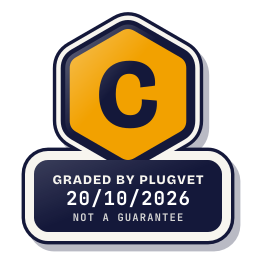
Grade C
One Medium finding. Read the findings before installing.
Not a guarantee. A hygiene check of the source at the commit shown, not a security audit.
Rescanned at commit de945f40730f.
SECRETS_PATH_CREDENTIAL
Why this grade
- SECRETS_PATH_CREDENTIAL Medium
Mentions a credential store path (~/.ssh, id_rsa, .npmrc, .aws/credentials, credentials.json, .netrc).
mireye_earth_mcp/onboarding.py, line 48
home / ".config" / "mireye-mcp" / "credentials.json"
Any High, or two or more Medium findings, give D. One Medium gives C. Low findings or a security Note give B. Each code names a finding behind the letter.
Grades are a hygiene check of the source at the commit shown, on the date checked, not a security audit or a guarantee. The free directory grades are automated. Before release, a PlugVet engineer reviews every paid report and any grade we hold back, including all F grades, against the source code and the evidence we quote.
What was checked
Plain notes from the hygiene checks.
Permissions
Pass
No shell or command execution found, and no extra permission was declared.
Install and update
Note
The docs document an installer that pipes a download into a shell.
INSTALL_DOCUMENTED_INSTALLER
README.md, line 186
curl -LsSf https://astral.sh/uv/install.sh | sh
README.md, line 410
`curl -LsSf https://astral.sh/uv/install.sh | sh`. If `uvx` lives at
Network
Pass
No network call found.
Secrets
Concern
reads a credential or environment file.
SECRETS_PATH_CREDENTIAL
mireye_earth_mcp/onboarding.py, line 48
home / ".config" / "mireye-mcp" / "credentials.json"
mireye_earth_mcp/server.py, line 326
return Path.home() / ".config" / "mireye-mcp" / "credentials.json"
mireye_earth_mcp/server.py, line 422
# explicit user intent; credentials.json has a token?
Show more
README.md, line 55
| Local login | — | `~/.config/mireye-mcp/credentials.json` (mode `0600`) |
README.md, line 340
| `MIREYE_MCP_CREDENTIALS_FILE` | `~/.config/mireye-mcp/credentials.json` | Stored token path used by `login` / `status` / `logout` and guided setup. |
mireye_earth_mcp/skills/use-mireye/SKILL.md, line 20
- The local `mireye-mcp` adapter uses `MIREYE_BEARER_TOKEN` or its device login credentials at `~/.config/mireye-mcp/credentials.json`. Its `login`, `status`, and `logout` commands
server.json, line 43
"description": "Path to the credentials file written by `mireye-mcp login`. Defaults to ~/.config/mireye-mcp/credentials.json.",
Agent instructions
Pass
No instruction to ignore earlier instructions or to hide a step.
Obfuscation
Note
a file was over the read cap and was not fully read.
OBFUSCATION_FILE_OVER_READ_CAP
uv.lock, line 1
version = 1
Licence
Pass
A licence file is present (LICENSE).
Maintainer activity
Pass
The latest commit is within the last 365 days.
Note
Hygiene check of commit de945f40730f. reads a credential or environment file. a file was over the read cap and was not fully read.
Date and source
Date checked:
github.com
Commit graded: de945f40730f5f203da2a6c40ac30fc50822a1a9
This link goes to the original host. PlugVet does not host or check what you download from there, and installing it is your own decision and risk.