

MCP, MCP server
DICOMweb MCP Server
A Model Context Protocol (MCP) server that exposes a DICOMweb-compliant DICOM archive to AI assistants.
Compatibility: Not stated.
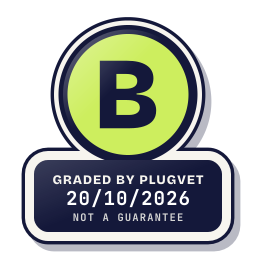
Grade B
Minor issues only, no Medium or High. Worth a quick look at the findings below before installing.
Not a guarantee. A hygiene check of the source at the commit shown, not a security audit.
Rescanned at commit d1ae41388def.
NETWORK_NO_FIXED_HOST SECRETS_PATH_DOTENV OBFUSCATION_FILE_OVER_READ_CAP
Why this grade
- NETWORK_NO_FIXED_HOST Low
Makes a network call whose host is not written as a fixed address.
src/utils/query.js, line 105
return await fetch(url, options); - SECRETS_PATH_DOTENV Low
Mentions a .env file.
webpack.config.mjs, line 80
from: path.join(rootPath, '.env.example'), - OBFUSCATION_FILE_OVER_READ_CAP Note
A file was over the read cap and was not fully read.
src/utils/dataDictionary.js, line 1
// Taken from https://github.com/cornerstonejs/dicomParser/blob/master/examples/dataDictionary.js
Any High, or two or more Medium findings, give D. One Medium gives C. Low findings or a security Note give B. Each code names a finding behind the letter.
Grades are a hygiene check of the source at the commit shown, on the date checked, not a security audit or a guarantee. The free directory grades are automated. Before release, a PlugVet engineer reviews every paid report and any grade we hold back, including all F grades, against the source code and the evidence we quote.
What was checked
Plain notes from the hygiene checks.
Permissions
Pass
No shell or command execution found, and no extra permission was declared.
Install and update
Pass
No install-time script found, and dependencies are pinned or absent.
Network
Concern
can reach a host that is not written as a fixed address.
NETWORK_NO_FIXED_HOST
src/utils/query.js, line 105
return await fetch(url, options);
Secrets
Concern
reads a credential or environment file.
SECRETS_PATH_DOTENV
webpack.config.mjs, line 80
from: path.join(rootPath, '.env.example'),
webpack.config.mjs, line 81
to: path.join(outputPath, '.env'),
src/index.js, line 19
// Resolve .env relative to the running script so it is found regardless of process.cwd()
Show more
src/index.js, line 21
dotenv.config({ path: path.join(__dirname, '.env'), quiet: true });
README.md, line 30
The server reads its configuration from a `.env` file located in the **same directory as the script** (see [Configuration](#configuration) below).
README.md, line 41
Create a `.env` file with the connection details for your DICOMweb server. Place the file next to wherever the server is executed from (or in the working directory you configure in
README.md, line 86
You can supply all environment variables directly in the `env` block instead of using a `.env` file.
Agent instructions
Pass
No instruction to ignore earlier instructions or to hide a step.
Obfuscation
Note
a file was over the read cap and was not fully read.
OBFUSCATION_FILE_OVER_READ_CAP
src/utils/dataDictionary.js, line 1
// Taken from https://github.com/cornerstonejs/dicomParser/blob/master/examples/dataDictionary.js
Licence
Pass
A licence file is present (LICENSE.txt).
Maintainer activity
Pass
The latest commit is within the last 365 days.
Note
Hygiene check of commit d1ae41388def. can reach a host that is not written as a fixed address. reads a credential or environment file. a file was over the read cap and was not fully read.
Date and source
Date checked:
github.com
Commit graded: d1ae41388defbc34007f4c44907999afb7125596
This link goes to the original host. PlugVet does not host or check what you download from there, and installing it is your own decision and risk.