

MCP, MCP server
Fetchv2 Mcp Server
Fetchv2 Mcp Server, an MCP server listed in the PlugVet directory.
Compatibility: Not stated.
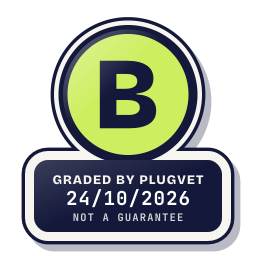
Grade B
Minor issues only, no Medium or High. Worth a quick look at the findings below before installing.
Not a guarantee. A hygiene check of the source at the commit shown, not a security audit.
NETWORK_NO_FIXED_HOST NETWORK_UNNAMED_HOST INSTALL_DOCUMENTED_INSTALLER
Why this grade
- NETWORK_NO_FIXED_HOST Low
Makes a network call whose host is not written as a fixed address.
src/fetchv2_mcp_server/server.py, line 295
async def fetch( - NETWORK_UNNAMED_HOST Low
Calls a fixed host that the description does not name.
src/fetchv2_mcp_server/server.py, line 295
async def fetch( - INSTALL_DOCUMENTED_INSTALLER Note
Documentation shows an installer that pipes a download into a shell.
CONTRIBUTING.md, line 13
curl -LsSf https://astral.sh/uv/install.sh | sh
Any High, or two or more Medium findings, give D. One Medium gives C. Low findings or a security Note give B. Each code names a finding behind the letter.
Grades are a hygiene check of the source at the commit shown, on the date checked, not a security audit or a guarantee. The free directory grades are automated. Before release, a PlugVet engineer reviews every paid report and any grade we hold back, including all F grades, against the source code and the evidence we quote.
What was checked
Plain notes from the hygiene checks.
Permissions
Pass
No shell or command execution found, and no extra permission was declared.
Install and update
Note
The docs document an installer that pipes a download into a shell.
INSTALL_DOCUMENTED_INSTALLER
CONTRIBUTING.md, line 13
curl -LsSf https://astral.sh/uv/install.sh | sh
Network
Concern
can reach a host that is not written as a fixed address. can reach example.com. The description does not name that host.
NETWORK_NO_FIXED_HOST NETWORK_UNNAMED_HOST
src/fetchv2_mcp_server/server.py, line 295
async def fetch(
src/fetchv2_mcp_server/server.py, line 297
str, Field(description="The webpage URL to fetch (must be http:// or https://)")
src/fetchv2_mcp_server/server.py, line 374
- fetch(url="https://docs.example.com/guide") → Get documentation page
Show more
src/fetchv2_mcp_server/server.py, line 375
- fetch(url="https://example.com/api", max_length=2000) → Shorter response to save context
src/fetchv2_mcp_server/server.py, line 376
- fetch(url="https://example.com/data", include_tables=True) → Preserve tabular data
src/fetchv2_mcp_server/server.py, line 439
"List of webpage URLs to fetch (max 10). "
src/fetchv2_mcp_server/server.py, line 470
KEY BENEFIT: One tool call instead of multiple fetch() calls = fewer round trips,
README.md, line 110
fetch(
Secrets
Pass
No read of a credential file or secret environment variable found.
Agent instructions
Pass
No instruction to ignore earlier instructions or to hide a step.
Obfuscation
Pass
No encoded or minified payload found.
Licence
Pass
A licence file is present (LICENSE).
Maintainer activity
Pass
The latest commit is within the last 365 days.
Note
Hygiene check of commit b6a920d70528. The docs document an installer that pipes a download into a shell. can reach a host that is not written as a fixed address. can reach example.com. The description does not name that host.
Date and source
Date checked:
github.com
Commit graded: b6a920d7052871d54ed82866ac3c858bdd1d708a
This link goes to the original host. PlugVet does not host or check what you download from there, and installing it is your own decision and risk.