

MCP, MCP server
io.github.MK3Core/flickr-mcp
An MCP server that gives AI assistants authenticated access to your Flickr photo library.
Compatibility: Not stated.
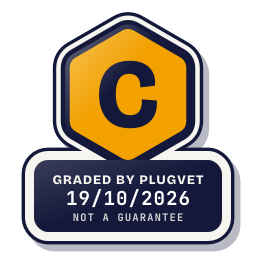
Grade C
One Medium finding. Read the findings before installing.
Not a guarantee. A hygiene check of the source at the commit shown, not a security audit.
Rescanned at commit 5549eb399de2, unchanged since the check below.
SECRETS_PATH_CREDENTIAL
Why this grade
- SECRETS_PATH_CREDENTIAL Medium
Mentions a credential store path (~/.ssh, id_rsa, .npmrc, .aws/credentials, credentials.json, .netrc).
src/auth.ts, line 16
const CONFIG_FILE = join(CONFIG_DIR, 'credentials.json');
Any High, or two or more Medium findings, give D. One Medium gives C. Low findings or a security Note give B. Each code names a finding behind the letter.
Grades are a hygiene check of the source at the commit shown, on the date checked, not a security audit or a guarantee. The free directory grades are automated. Before release, a PlugVet engineer reviews every paid report and any grade we hold back, including all F grades, against the source code and the evidence we quote.
What was checked
Plain notes from the hygiene checks.
Permissions
Pass
No shell or command execution found, and no extra permission was declared.
Install and update
Pass
No install-time script found, and dependencies are pinned or absent.
Network
Concern
can reach a host that is not written as a fixed address.
NETWORK_NO_FIXED_HOST
src/auth.ts, line 103
const res = await fetch(url, {
src/auth.ts, line 136
const res = await fetch(url, {
src/flickr-client.ts, line 84
res = await fetch(url, { headers: { Authorization: authHeader } });
Show more
src/flickr-client.ts, line 86
res = await fetch(FLICKR_API, {
src/flickr-client.ts, line 167
const imgRes = await fetch(medium.source);
src/setup.ts, line 185
var r = await fetch('/start', {
src/setup.ts, line 203
var r = await fetch('/status');
Secrets
Concern
reads a credential or environment file.
SECRETS_PATH_CREDENTIAL
src/auth.ts, line 16
const CONFIG_FILE = join(CONFIG_DIR, 'credentials.json');
README.md, line 49
A browser window will open with a setup wizard. Paste your API key and secret, then follow the prompts to authorize access to your Flickr account. Your credentials are saved to `~/
README.md, line 182
Your API credentials are stored locally at `~/.config/flickr-mcp/credentials.json` and are never sent anywhere except Flickr's own API.
Agent instructions
Pass
No instruction to ignore earlier instructions or to hide a step.
Obfuscation
Pass
No encoded or minified payload found.
Licence
Pass
A licence file is present (LICENSE).
Maintainer activity
Pass
The latest commit is within the last 365 days.
Note
Hygiene check of commit 5549eb399de2. can reach a host that is not written as a fixed address. reads a credential or environment file.
Date and source
Date checked:
github.com
Commit graded: 5549eb399de298bf0171dacc4c9f95f451f0e280
This link goes to the original host. PlugVet does not host or check what you download from there, and installing it is your own decision and risk.