

MCP, MCP server
Pnp Powershell Mcp Server
Pnp Powershell Mcp Server, an MCP server listed in the PlugVet directory.
Compatibility: Not stated.
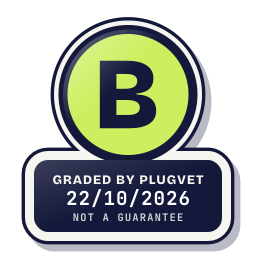
Grade B
Minor issues only, no Medium or High. Worth a quick look at the findings below before installing.
Not a guarantee. A hygiene check of the source at the commit shown, not a security audit.
PERMISSION_SHELL_DECLARED OBFUSCATION_FILE_OVER_READ_CAP
Why this grade
- PERMISSION_SHELL_DECLARED Note
Runs shell commands, and the manifest or description says so.
CHANGELOG.md, line 41
- Fixed ways past the destructive-command prompt: `Invoke-Expression` and similar, `Start-Process`, `Import-Module`, script blocks built from strings, native programs and script fi - OBFUSCATION_FILE_OVER_READ_CAP Note
A file was over the read cap and was not fully read.
data/pnp-index.json, line 1
{"source":"Get-Command and Get-Help against the installed PnP.PowerShell module","moduleVersion":"3.4.1","docsUrlTemplate":"https://pnp.github.io/powershell/cmdlets/{name}.html","a
Any High, or two or more Medium findings, give D. One Medium gives C. Low findings or a security Note give B. Each code names a finding behind the letter.
Grades are a hygiene check of the source at the commit shown, on the date checked, not a security audit or a guarantee. The free directory grades are automated. Before release, a PlugVet engineer reviews every paid report and any grade we hold back, including all F grades, against the source code and the evidence we quote.
What was checked
Plain notes from the hygiene checks.
Permissions
Note
requests shell access. The manifest names this permission.
PERMISSION_SHELL_DECLARED
CHANGELOG.md, line 41
- Fixed ways past the destructive-command prompt: `Invoke-Expression` and similar, `Start-Process`, `Import-Module`, script blocks built from strings, native programs and script fi
Services/CommandPolicy.cs, line 28
"Invoke-Expression", "Invoke-Command", "Start-Job", "Start-ThreadJob", "Add-Type",
Services/PnPErrorHints.cs, line 215
// PowerShell names Invoke-Expression as the source, so the owner is the first command in the
Show more
Services/PowerShellSession.cs, line 299
$"try {{ Invoke-Expression $__pnpScript }} catch {{ Write-Output '{ErrorMarker}'; Write-Output ($_ | Out-String) }}; " +
Tools/PnPPowerShellTools.cs, line 404
$__pnpCommandResult = Invoke-Expression $__pnpCommandText
best-practices.md, line 277
- **Commands invoked indirectly** (`& $someVariable`, `Invoke-Expression`, `Invoke-Command`, `Start-Job`,
best-practices.md, line 299
(`Invoke-Expression`, `Invoke-Command`, `Start-Job`, `Add-Type`, `Start-Process`, `Invoke-Item`, `Import-Module`),
Install and update
Pass
No install-time script found, and dependencies are pinned or absent.
Network
Pass
No network call found.
Secrets
Pass
No read of a credential file or secret environment variable found.
Agent instructions
Pass
No instruction to ignore earlier instructions or to hide a step.
Obfuscation
Note
a file was over the read cap and was not fully read.
OBFUSCATION_FILE_OVER_READ_CAP
data/pnp-index.json, line 1
{"source":"Get-Command and Get-Help against the installed PnP.PowerShell module","moduleVersion":"3.4.1","docsUrlTemplate":"https://pnp.github.io/powershell/cmdlets/{name}.html","a
Licence
Pass
A licence file is present (LICENSE).
Maintainer activity
Pass
The latest commit is within the last 365 days.
Note
Hygiene check of commit cb7aa8611380. requests shell access. The manifest names this permission. a file was over the read cap and was not fully read.
Date and source
Date checked:
github.com
Commit graded: cb7aa86113808b0e2221f37973dcd89308f330bf
This link goes to the original host. PlugVet does not host or check what you download from there, and installing it is your own decision and risk.