

MCP, MCP server
poltertab
PolterTab lets any AI assistant drive and scrape your existing Chrome profile — no headless browser, no separate automation setup, no re-logging into anything.
Compatibility: Not stated.
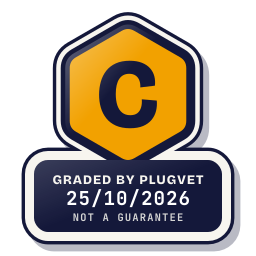
Grade C
One Medium finding. Read the report before installing.
Not a guarantee. A hygiene check of the source at the commit shown, not a security audit.
SECRETS_PATH_CREDENTIAL
Why this grade
- SECRETS_PATH_CREDENTIAL Medium
Mentions a credential store path (~/.ssh, id_rsa, .npmrc, .aws/credentials, credentials.json, .netrc).
mcp-server/upload-paths.js, line 85
// bypass the check (e.g. ~/Downloads/key.pem -> ~/.ssh/id_ed25519).
Any High, or two or more Medium findings, give D. One Medium gives C. Low findings or a security Note give B. Each code names a finding behind the letter.
Grades are a hygiene check of the source at the commit shown, on the date checked, not a security audit or a guarantee. The free directory grades are automated. Before release, a PlugVet engineer reviews every paid report and any grade we hold back, including all F grades, against the source code and the evidence we quote.
What was checked
Plain notes from the hygiene checks.
Permissions
Concern
can delete files.
PERMISSION_DELETE_FILES
mcp-server/memory.js, line 135
fs.unlinkSync(tmp);
Install and update
Pass
No install-time script found, and dependencies are pinned or absent.
Network
Concern
can reach a host that is not written as a fixed address.
NETWORK_NO_FIXED_HOST
bin/doctor.js, line 38
const s = net.connect({ port: p, host: "127.0.0.1" });
bin/pair-flow.js, line 29
const ws = new WebSocket(`ws://127.0.0.1:${port}`);
bin/pair-flow.js, line 341
const req = http.get({ host: "127.0.0.1", port, path: "/status", timeout: 2000 }, (res) => {
Show more
chrome-extension/background.js, line 105
sock = new WebSocket(WS_URL);
mcp-server/bridge.js, line 606
const sock = net.connect(WS_PORT, "127.0.0.1");
mcp-server/bridge.js, line 636
const ws = new WebSocket(`ws://127.0.0.1:${WS_PORT}`, {
mcp-server/update-check.js, line 50
const req = https.get(url, (res) => {
CLAUDE.md, line 11
- `ctx_execute(language: "javascript", code: "const r = await fetch(...)")` to run HTTP calls in sandbox
Secrets
Concern
reads a credential or environment file.
SECRETS_PATH_CREDENTIAL
mcp-server/upload-paths.js, line 85
// bypass the check (e.g. ~/Downloads/key.pem -> ~/.ssh/id_ed25519).
site/index.html, line 280
<div class="scene s2" role="img" aria-label="The ghost drags upload-test.csv from an allowed folder into a ticket’s upload zone, which turns green and shows it attached. It then tr
site/index.html, line 304
<text class="s mono" x="42" y="278" fill="var(--ink)">id_rsa</text>
Agent instructions
Pass
No instruction to ignore earlier instructions or to hide a step.
Obfuscation
Pass
No encoded or minified payload found.
Licence
Note
no licence file found.
LICENCE_MISSING
No file path was stored.
no licence file found.
Maintainer activity
Pass
The latest commit is within the last 365 days.
Note
Hygiene check of commit 47fbf96e8da7. can delete files. can reach a host that is not written as a fixed address. reads a credential or environment file. no licence file found.
Date and source
Date checked:
github.com
Commit graded: 47fbf96e8da7b4620ea171c59e51fb174fb98b89
This link goes to the original host. PlugVet does not host or check what you download from there, and installing it is your own decision and risk.