

MCP, MCP server
Voyagent
Live Deployment: https://tripmate-ai-546l.onrender.com/
Compatibility: Not stated.
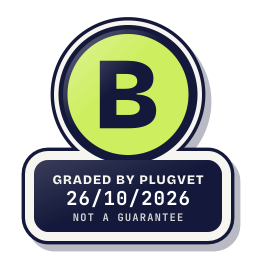
Grade B
Minor issues only, no Medium or High. Worth a quick look at the findings below before installing.
Not a guarantee. A hygiene check of the source at the commit shown, not a security audit.
INSTALL_UNPINNED NETWORK_NO_FIXED_HOST SECRETS_PATH_DOTENV SECRETS_ENV_READ OBFUSCATION_FILE_OVER_READ_CAP
Why this grade
- INSTALL_UNPINNED Low
Dependencies use a range or git URL with no lockfile.
requirements.txt, line 1
fastapi - NETWORK_NO_FIXED_HOST Low
Makes a network call whose host is not written as a fixed address.
weather_custom_mcp_server.py, line 33
response = requests.get( - SECRETS_PATH_DOTENV Low
Mentions a .env file.
backend.py, line 66
"DATABASE_URL is missing. Please add your Render PostgreSQL External Database URL to .env" - SECRETS_ENV_READ Note
Reads an environment variable whose name contains KEY, SECRET, TOKEN, PASSWORD or CREDENTIAL.
backend.py, line 37
google_api_key = os.getenv("GOOGLE_API_KEY") - OBFUSCATION_FILE_OVER_READ_CAP Note
A file was over the read cap and was not fully read.
uv.lock, line 1
version = 1
Any High, or two or more Medium findings, give D. One Medium gives C. Low findings or a security Note give B. Each code names a finding behind the letter.
Grades are a hygiene check of the source at the commit shown, on the date checked, not a security audit or a guarantee. The free directory grades are automated. Before release, a PlugVet engineer reviews every paid report and any grade we hold back, including all F grades, against the source code and the evidence we quote.
What was checked
Plain notes from the hygiene checks.
Permissions
Pass
No shell or command execution found, and no extra permission was declared.
Install and update
Concern
dependencies are not pinned.
INSTALL_UNPINNED
requirements.txt, line 1
fastapi
Network
Concern
can reach a host that is not written as a fixed address.
NETWORK_NO_FIXED_HOST
weather_custom_mcp_server.py, line 33
response = requests.get(
weather_custom_mcp_server.py, line 80
response = requests.get(url, params=params)
static/script.js, line 50
const response = await fetch(`/api/travel/session/${threadId}`);
Show more
static/script.js, line 614
const response = await fetch("/api/travel", {
static/script.js, line 701
const response = await fetch("/api/travel/resume", {
Secrets
Concern
reads a credential or environment file.
SECRETS_ENV_READ SECRETS_PATH_DOTENV
backend.py, line 37
google_api_key = os.getenv("GOOGLE_API_KEY")
backend.py, line 66
"DATABASE_URL is missing. Please add your Render PostgreSQL External Database URL to .env"
mcp_client.py, line 12
TAVILY_API_KEY = os.getenv('TAVILY_API_KEY', "")
Show more
mcp_client.py, line 13
AVIATION_STACK_API_KEY = os.getenv('AVIATION_STACK_API_KEY') or os.getenv('AVIATIONSTACK_API_KEY', "")
mcp_client.py, line 14
OPENWEATHER_API_KEY = os.getenv('OPENWEATHER_API_KEY', "")
weather_custom_mcp_server.py, line 17
OPENWEATHER_API_KEY = os.getenv("OPENWEATHER_API_KEY")
.dockerignore, line 1
# Environments & Secrets
.dockerignore, line 2
.env
.gitignore, line 1
.env
README.md, line 222
├── .env.example # Template for environment configuration
README.md, line 258
Create a `.env` file in the project root based on the following template:
README.md, line 301
docker run -d -p 8000:8000 --env-file .env --name voyagent-app voyagent-ai
Agent instructions
Pass
No instruction to ignore earlier instructions or to hide a step.
Obfuscation
Note
a file was over the read cap and was not fully read.
OBFUSCATION_FILE_OVER_READ_CAP
uv.lock, line 1
version = 1
Licence
Note
no licence file found.
LICENCE_MISSING
No file path was stored.
no licence file found.
Maintainer activity
Pass
The latest commit is within the last 365 days.
Note
Hygiene check of commit f29dca65219f. dependencies are not pinned. can reach a host that is not written as a fixed address. reads a credential or environment file. a file was over the read cap and was not fully read. no licence file found.
Date and source
Date checked:
github.com
Commit graded: f29dca65219f353a4172573dfc4a65c10921056c
This link goes to the original host. PlugVet does not host or check what you download from there, and installing it is your own decision and risk.