

MCP, MCP server
Youtube Marketing Skills
Build a YouTube personal brand with live channel data, AI-generated SEO, and organic-only growth strategy — no paid ads, no $99/month subscription.
Compatibility: Not stated.
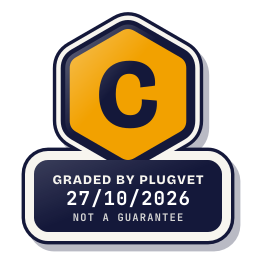
Grade C
One Medium finding. Read the report before installing.
Not a guarantee. A hygiene check of the source at the commit shown, not a security audit.
SECRETS_PATH_CREDENTIAL
Why this grade
- SECRETS_PATH_CREDENTIAL Medium
Mentions a credential store path (~/.ssh, id_rsa, .npmrc, .aws/credentials, credentials.json, .netrc).
auth.js, line 11
const CREDENTIALS_PATH = path.join(__dirname, "credentials.json");
Any High, or two or more Medium findings, give D. One Medium gives C. Low findings or a security Note give B. Each code names a finding behind the letter.
Grades are a hygiene check of the source at the commit shown, on the date checked, not a security audit or a guarantee. The free directory grades are automated. Before release, a PlugVet engineer reviews every paid report and any grade we hold back, including all F grades, against the source code and the evidence we quote.
What was checked
Plain notes from the hygiene checks.
Permissions
Pass
No shell or command execution found, and no extra permission was declared.
Install and update
Note
The docs document an installer that pipes a download into a shell.
INSTALL_DOCUMENTED_INSTALLER
install.sh, line 3
# Usage: curl -fsSL https://raw.githubusercontent.com/adityaarsharma/youtube-marketing-skills/main/install.sh | bash
Network
Concern
can reach a host that is not written as a fixed address.
NETWORK_NO_FIXED_HOST
server.js, line 693
maxResults: { type: "number", description: "Number of videos to fetch (default 50, max 50)" },
agents/youtube-updater.md, line 188
curl -s -X POST \
Secrets
Concern
reads a credential or environment file.
SECRETS_PATH_CREDENTIAL
auth.js, line 11
const CREDENTIALS_PATH = path.join(__dirname, "credentials.json");
server.js, line 21
const CREDENTIALS_PATH = path.join(__dirname, "credentials.json");
server.js, line 27
"credentials.json not found. Download it from Google Cloud Console → APIs & Services → Credentials"
Show more
.gitignore, line 1
credentials.json
INSTALL.md, line 86
- **OAuth 2.0 credentials** (type: Desktop app) - downloaded as `credentials.json`
INSTALL.md, line 104
Drop the `credentials.json` you downloaded from Google Cloud Console into the package directory.
INSTALL.md, line 228
| `credentials.json not found` | Download OAuth credentials from Google Cloud Console → save in the package directory |
README.md, line 64
# 2. Drop your Google OAuth credentials.json into the directory
Agent instructions
Pass
No instruction to ignore earlier instructions or to hide a step.
Obfuscation
Pass
No encoded or minified payload found.
Licence
Pass
A licence file is present (LICENSE).
Maintainer activity
Pass
The latest commit is within the last 365 days.
Note
Hygiene check of commit e9136cb39379. The docs document an installer that pipes a download into a shell. can reach a host that is not written as a fixed address. reads a credential or environment file.
Date and source
Date checked:
github.com
Commit graded: e9136cb39379a82801ee5ae542ff53a1d1109bd2
This link goes to the original host. PlugVet does not host or check what you download from there, and installing it is your own decision and risk.